😰হারানো ফোন খুঁজে পাওয়া (Google Find My Device)🔒
হারানো ফোন খুঁজে পাওয়া (Google Find My Device)
আপনার ফোন হারিয়ে গেলে বা ঘরের কোথাও খুঁজে না পেলে — অন্য ফোন বা কম্পিউটার থেকে গুগল সার্চে শুধু লিখুন: "Find My Device"। এটি সরাসরি খুলবে এবং আপনি ফোন ফুল ভলিউমে রিং বাজাতে পারবেন (সাইলেন্ট মোডেও)।
দ্রুত উপায়:
গুগলে সার্চ করুন → "Find My Device" → লগইন করুন → Play Sound ক্লিক করুন। ফোন ৫ মিনিট জোরে রিং বাজাবে!
গুগলে সার্চ করুন → "Find My Device" → লগইন করুন → Play Sound ক্লিক করুন। ফোন ৫ মিনিট জোরে রিং বাজাবে!
Find My Device কীভাবে কাজ করে? (ছবি সহ)
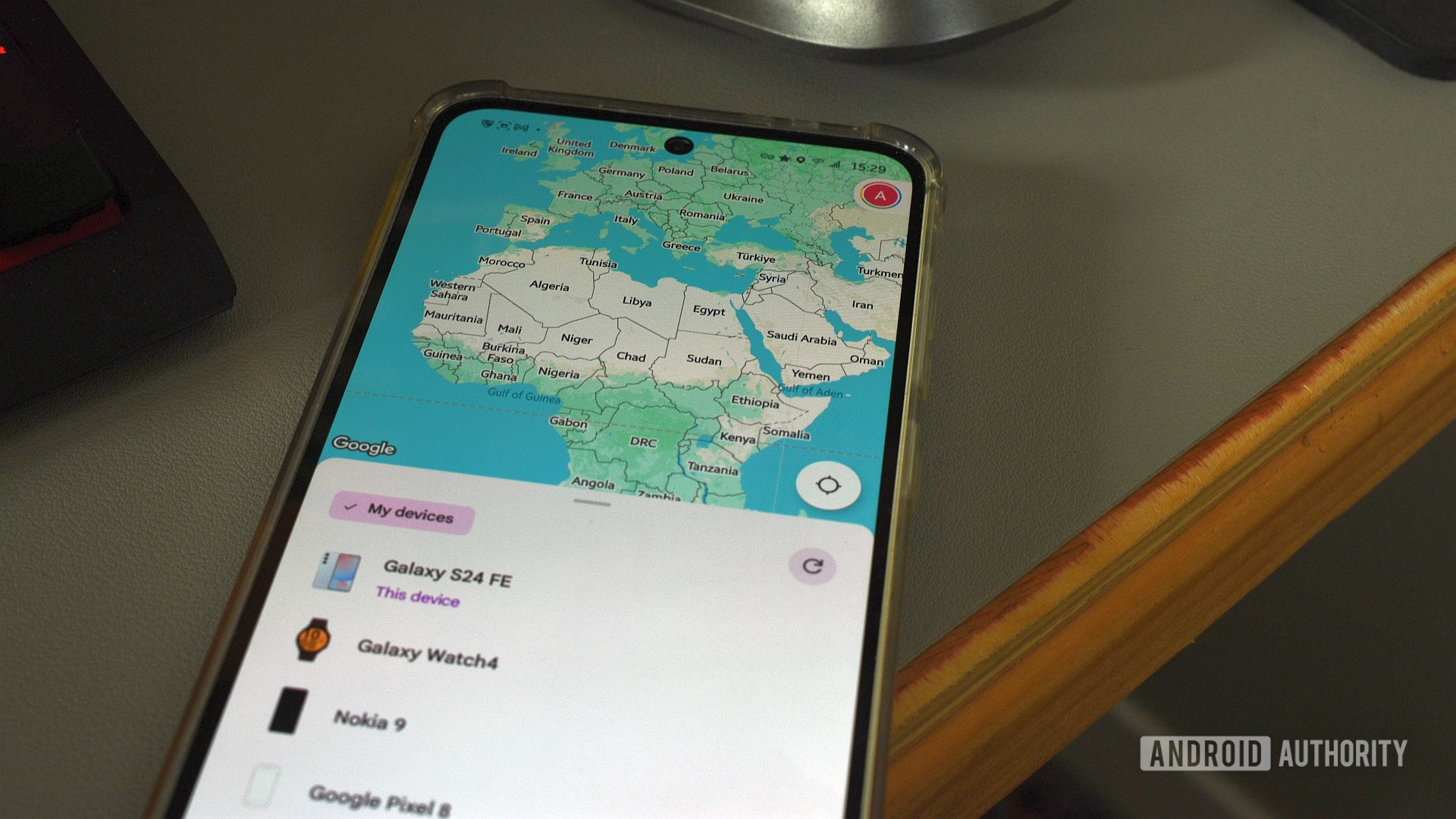
Find My Device-এ ম্যাপে ফোনের লোকেশন দেখা যাচ্ছে
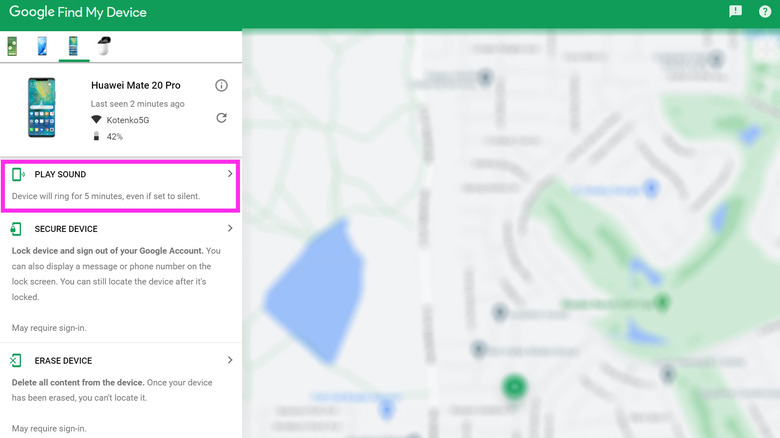
সাইলেন্ট মোডেও ফোন রিং করার Play Sound অপশন

Secure Device করে লক স্ক্রিনে মেসেজ ও নম্বর দেখানো
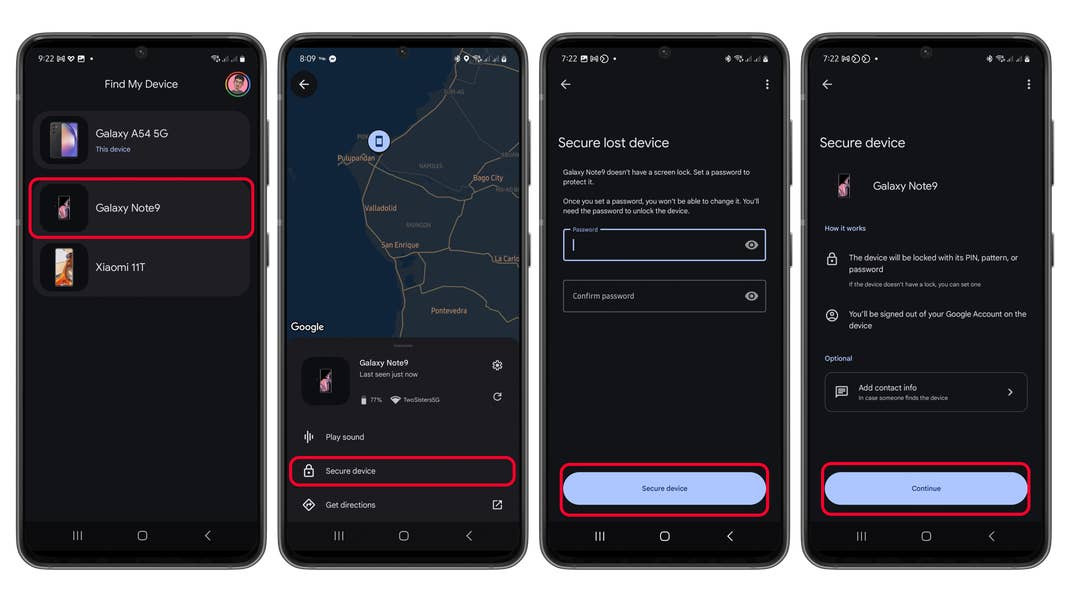
Secure Device সেট করার স্টেপ-বাই-স্টেপ
ধাপসমূহ (Step by Step)
- আগে থেকে চালু করে রাখুন: Settings → Google → Find My Device → অন করুন।
- Location অন রাখুন এবং স্ক্রিন লক (PIN/প্যাটার্ন) সেট করুন।
- হারালে: android.com/find এ যান বা গুগলে "Find My Device" সার্চ করুন।
- গুগল অ্যাকাউন্ট দিয়ে লগইন করুন।
- অপশনসমূহ:
- Play Sound → ফুল ভলিউমে রিং (সাইলেন্টেও)
- Secure Device → লক + মেসেজ/নম্বর দেখানো
- Erase Device → ডেটা মুছে ফেলা (শেষ অপশন)
অফিসিয়াল ও সহায়ক লিঙ্কসমূহ (ছবি সহ গাইড)
- গুগল অফিসিয়াল গাইড: https://support.google.com/android/answer/6160491
- আরেকটি অফিসিয়াল: https://support.google.com/accounts/answer/3265955
- বাংলায় গাইড: banglatech24.com
আশা করি আপনার ফোন দ্রুত খুঁজে পাবেন! 😊
যদি আরও সাহায্য লাগে, জানাবেন।
মন্তব্যসমূহ
একটি মন্তব্য পোস্ট করুন